If you’ve scheduled your course content, instead of publishing all lessons at once, you can use Content Drip to control when each part of the course becomes available. This allows you to release course content gradually, based on a schedule or learner progress.
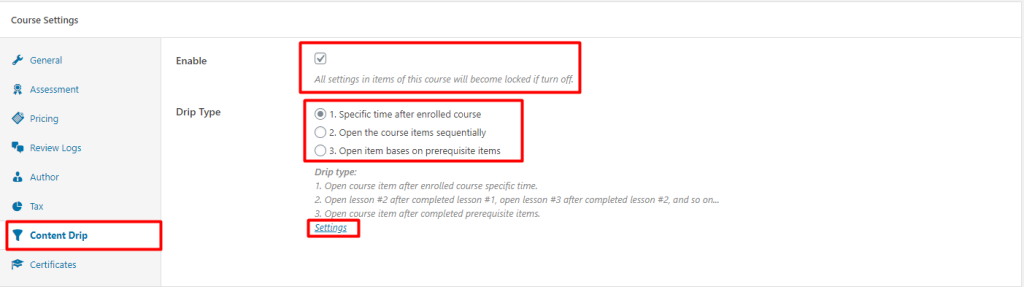
Drip Types:
1. Content Drip by a Specific Time
With this method, you can choose to:
Open the course immediately after enrollment.
Release content after a specific duration following enrollment.
Unlock content on a specific calendar date.
2. Open Lessons/Quizzes Sequentially
This method allows you to release content based on course progress. For example:
Lesson 2 unlocks after Lesson 1 is completed.
Lesson 3 unlocks after Lesson 2 is completed, and so on.
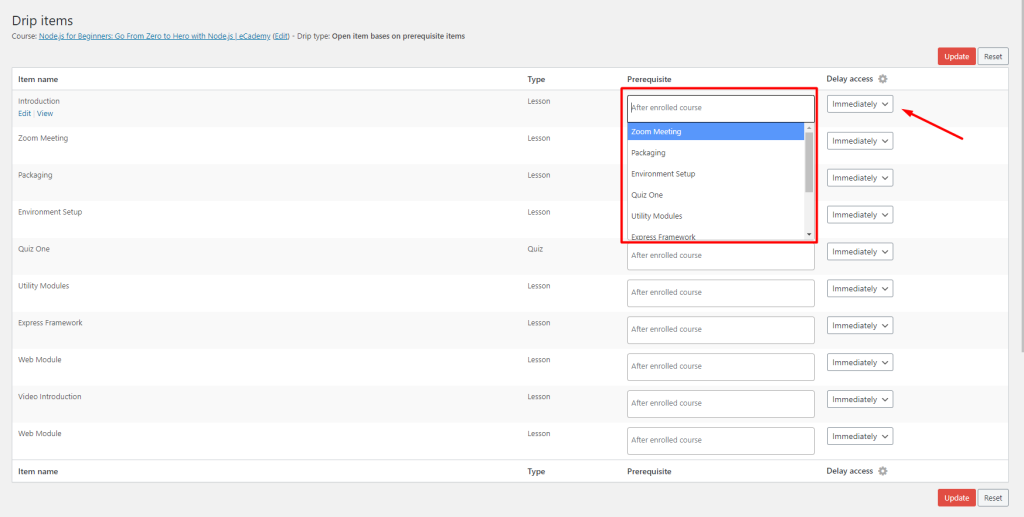
3. Open Items Based on Prerequisite Items
This advanced option lets you unlock a lesson only after specific other lessons are completed. To use this:
Enable “Open item based on prerequisite items” in the course settings.
Click Update to save the course.
Then go to Settings to configure the prerequisites for each item.