Home EnvyTheme Vaximo – Theme Documentation Make Service Details Page with Elementor

Make Service Details Page with Elementor

Please follow the steps below to make the Service Details editable with Elementor:

  1. Import Service Details Template:
  • Download the service-details.json file from here.
  • Go to Dashboard → Templates → Import the downloaded service-details.json file.

2. Edit the Service Details template with Elementor.
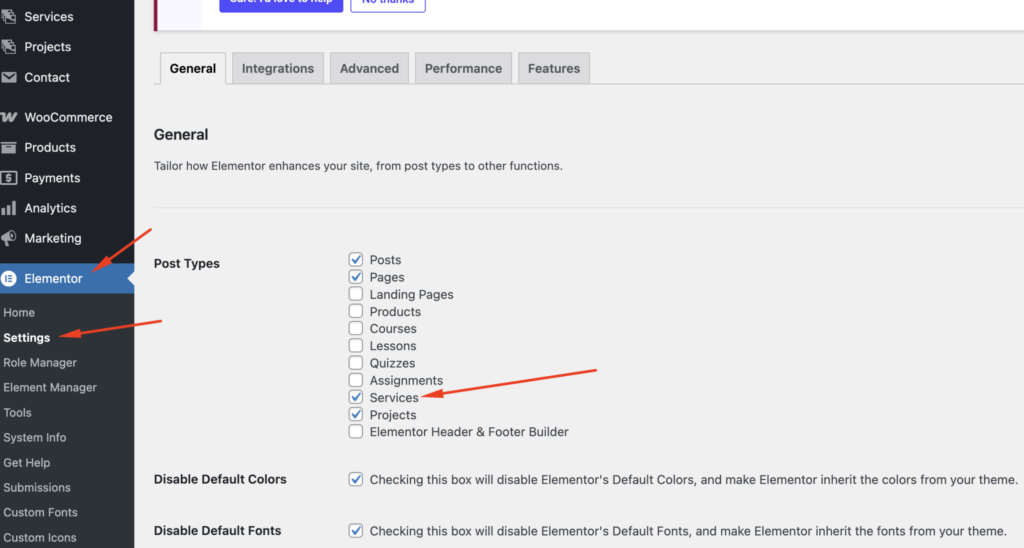
  • Enable Elementor for Custom Post Types:
  • Go to WordPress DashboardElementorSettings.
  • Under the General tab, check the box for Services.
  • Click Save Changes.

3. Edit the Service Details Page with Elementor:
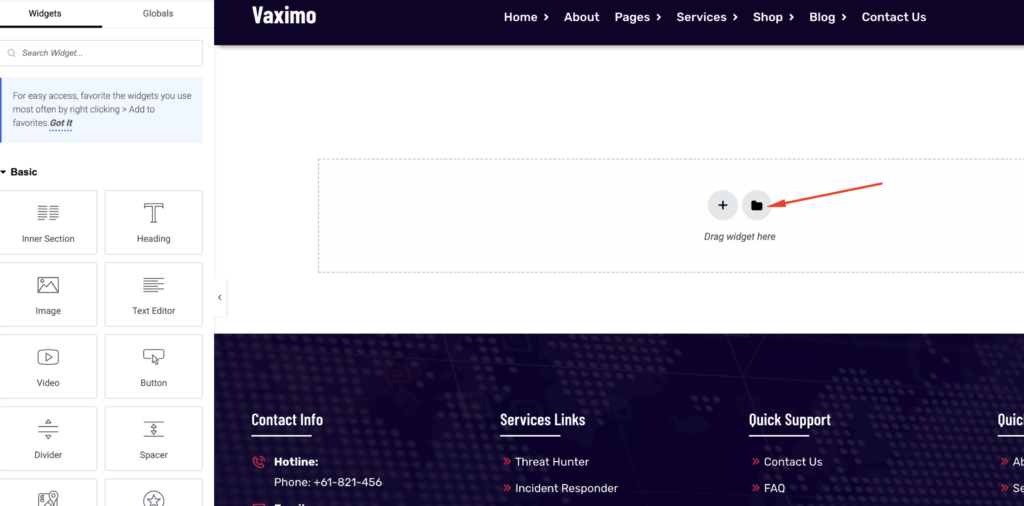
  • Navigate to Services.
  • Find the Service Details page you want to edit.
  • Click Edit with Elementor.
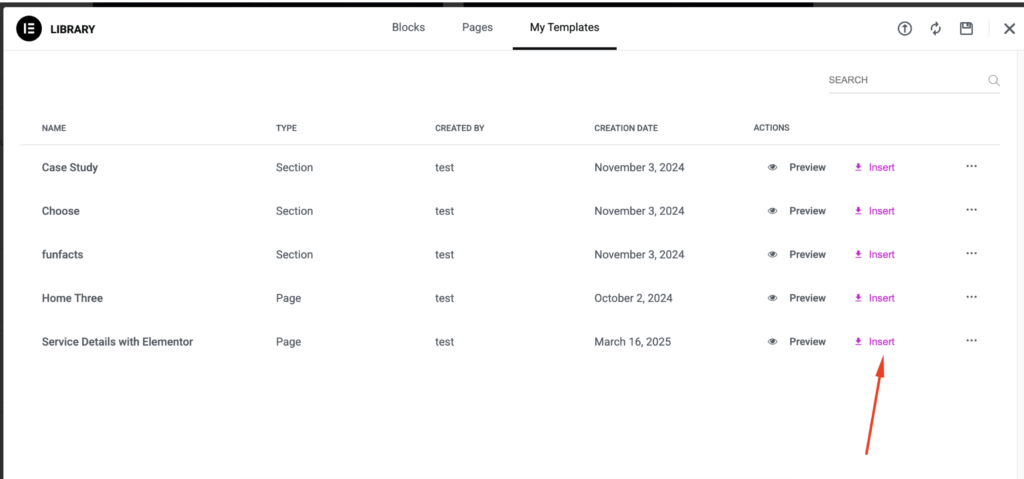
  • Insert the templates as shown in the screenshots:

Now you can able to edit various part of the service details from elementor edit mode
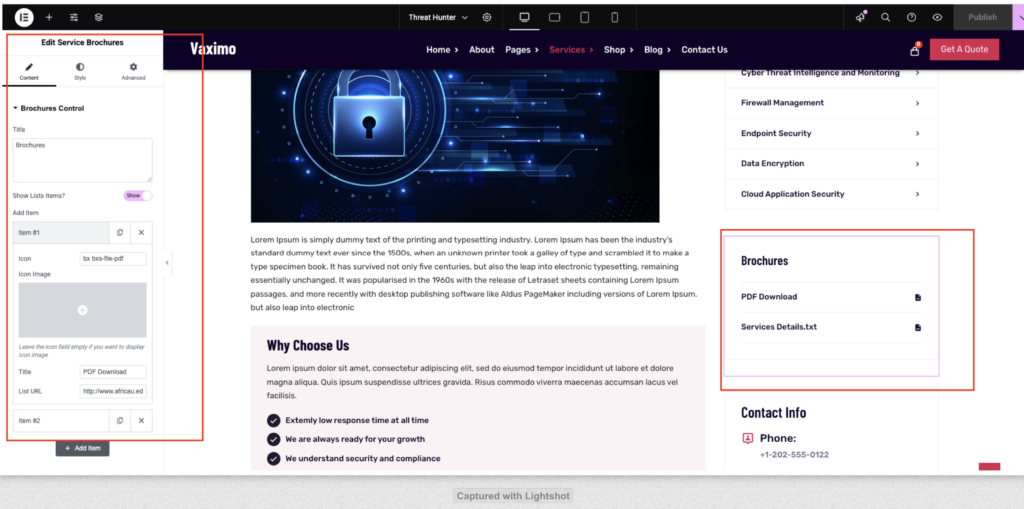
Note: If you already have old data, ensure you delete it first before importing the template into the Service Single Page.